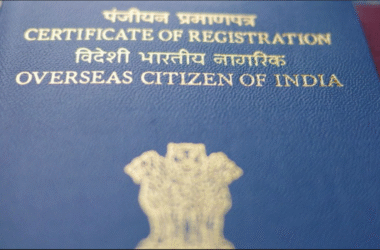
eOCI card is the digital version of the Overseas Citizen of India (OCI) Card. This digital version allows the holders to access and use the benefits of their OCI status without having to carry the physical booklet. As with the original OCI, this also permits the holder to visit India as many times as they require without getting a separate visa. Additionally, it is as much a visa document as it is a valid identification card.
With the recently introduced citizenship rules, it has become convenient for Overseas Citizens of India to carry their vital identification on their personal devices.
Need Help with Your OCI Card?
Get expert assistance with your OCI application, document preparation, and filing process to avoid delays and mistakes.
Apply for OCI CardeOCI Card – What is it?
As stated above, the eOCI card is the electronic version of the OCI card with the same credentials, access, and benefits. It was introduced under the Citizenship (Amendment) Rules, 2026. Introduction of this digital version has removed the necessity of carrying the physical booklet on trips to India. Overall, the eOCI card grants the holders convenience and comfort.
Who is Eligible for eOCI Cards?
- Persons of Indian origin who were citizens of India on or after January 26, 1950.
- Children, grandchildren, or great grandchildren of Indian citizens or Persons of Indian Origin.
- Spouses of Indian citizens or overseas citizens of India.
Who is Not Eligible for eOCI Cards?
Individuals whose parents or grandparents are from Pakistan or Bangladesh are excluded from applying for eOCI card.
Step-by-Step Guide to Download Your eOCI Card
If you are already an OCI card holder, then you can easily download your eOCI card. Follow the steps given below to download:
- First of all, visit the official OCI services website – https://ociservices.gov.in
- If you already have an account, log in with your email ID and password. If you don’t have an account, then register yourself on the portal.
- Navigate to the eOCI tab.
- Verify the personal information on the portal.
- Then tap on the ‘Generate eOCI Card’.
Note: You can download the eOCI card on your mobile phone, laptop, or any device. However, make sure to save it in a secure device as it contains your legal personal information.
Advantages of an eOCI Card
- The eOCI card provides convenience and comfort to the holder.
- You no longer have to carry the physical card everywhere. Nor do you have to worry about getting it stolen or damaged.
- If you don’t already have an OCI card, your new application would automatically be considered for eOCI card. Moreover, with the introduction of the digital version, the application is processed much faster, in most cases in 15 days.
- You can access your e-OCI whenever you require.
- It has been mandated that by the end of the year Indian airports will be integrated with the digital version of OCI cards. This would allow eOCI card holders to avoid long queues and pass through immigration quickly.
Important Considerations
The systemic shift from physical copies to digital OCI cards is intentional. This reduces paperwork and increases efficiency. You need to consider a few points, such as:
- The introduction of eOCI as the standard does not make the physical copy invalid. You can take the physical booklet with you if you like.
- You should download the eOCI card in a secure device. Do not share it with unguarded digital devices.
- It is a new regulation, so you can expect that airport staff and certain officials are not familiar with it yet.
How Documitra Can Help
Downloading the eOCI card online to your device is simple and easy if you follow the simple steps provided above. However, applying for an eOCI card can be confusing for most people, more so when it involves navigating the government portal and compiling documents. That is why it is important that you take assistance from experts who are well versed with the process of eOCI applications. Documitra has helped thousands of applicants over the years with OCI applications, OCI renewals, and Indian consular services.
FAQs
Q. I don’t have an eOCI. Can I apply for a new one?
Yes, you can register yourself for an eOCI card if you qualify for it. Qualifying candidates would be persons of Indian origin, sons or daughters or grandchildren of Indian citizens or the spouse of Indian citizens or OCI cardholders.
Q. Is it possible to download my eOCI card?
Yes, if you possess any OCI card, then you can download your eOCI card. All that you need to do is log into the official OCI services site and generate the card from there.
Q. Can I save my eOCI card on my phone?
Yes, you can download and save your eOCI card on your phone. Just make sure you don’t share it with untrustworthy sources.
Q. I already have an OCI card. Do I still have to apply for an eOCI card?
No, you don’t need to apply for the eOCI card. The eOCI card is just the digital form of your current OCI card. All that you need to do is download the digital card from the website.